Quick answer: Cruise ships get internet from satellites. A stabilized antenna on the ship locks onto a satellite, which sends your data to a ground station connected to the regular internet. Most major lines now use Starlink, whose satellites orbit far closer to Earth than older systems, so delay is much lower. WiFi can still feel slow because thousands of guests share one connection, your package may limit streaming, and coverage varies by region.
A ship in the middle of the Atlantic has no cable to shore, no cell tower and no router plugged into a wall. So how do thousands of people stream, video call and post vacation photos at the same time? The answer is a ship sized satellite system that everyone onboard shares. That also explains something most cruisers notice. The WiFi has improved dramatically in the last few years, and it is still sometimes slow. Both things are true, and this guide covers why. If you want package prices and sign up tips, read our cruise ship WiFi guide alongside this one.
- Source: Satellites, through antennas on the upper decks
- Older systems: Geostationary satellites, about 22,000 miles up, with high delay
- Newer systems: Starlink in low earth orbit, about 340 miles up, plus medium orbit satellites from SES
- Who uses Starlink: Most major lines, though individual ships and smaller vessels can differ
- Why it can still be slow: Crowding, package limits, location and weather
- Best tip: Download what you need before you sail and avoid peak hours
How the Internet Gets From a Satellite to Your Phone
The chain has four links:
- Your phone connects to the ship's WiFi. Access points are spread across decks and cabins, just like in a large hotel.
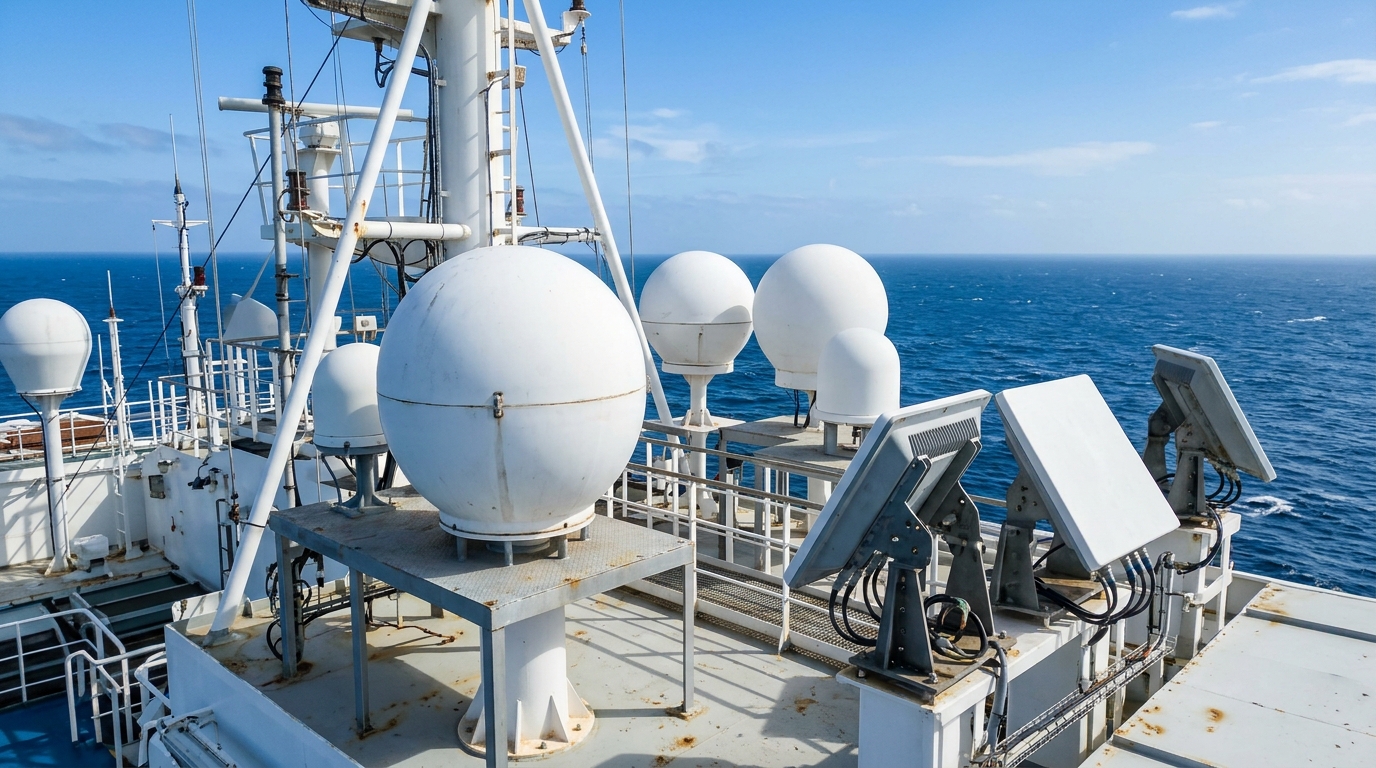
- The ship's network sends everything to a stabilized antenna. These are the white domes or flat panels on the upper decks. They track a satellite and stay locked on while the ship rolls and turns.
- The satellite relays the signal to a ground station. The ground station is wired into the regular internet.
- The reply comes back the same way. When you load a web page, that round trip happens in a fraction of a second.
The key point is that the ship has one satellite link, often several terminals combined, that every guest and crew member shares. Your WiFi speed is a slice of that.
Three Kinds of Satellite, and Why Orbit Matters
The big difference between old cruise internet and new cruise internet is how high up the satellites are. Height controls latency, which is the delay between asking for something and getting an answer.
| Type | Roughly how high | Typical delay | Notes |
|---|---|---|---|
| GEO (geostationary) | About 22,000 miles | Often 500 to 700 ms | The traditional VSAT system. Wide coverage, high lag. |
| MEO (medium earth orbit) | About 5,000 miles | About 150 ms | SES's O3b mPOWER network, which serves several cruise lines. |
| LEO (low earth orbit) | About 340 miles | Much lower still | Starlink. Many satellites moving fast overhead, and it feels close to home internet. |
A 600 millisecond delay does not sound like much, but it ruins anything interactive. Video calls stutter, web pages load in slow steps, and anything with a lot of back and forth, such as logging in to a banking site, feels broken. That is the WiFi many of us remember from cruises ten years ago.
Where MEO Fits In
For years, SES was a leading provider to cruise lines, and its medium orbit satellites were a big step up from the older geostationary systems. Its newer O3b mPOWER network is marketed to cruise customers, and some lines now combine it with Starlink so the ship has more than one path to the internet. Satellite operators design their networks around where demand is, so coverage and capacity can differ between regions. That is one reason remote sailings can see weaker service.
What Starlink Changed
Starlink satellites orbit far closer to Earth than geostationary ones, so signals travel a much shorter distance. In one company demo, data made about 70 round trips in the time a standard satellite takes for one. Just as important, there is a lot more total capacity to go around.
The rollout moved fast:
- Royal Caribbean Group announced Starlink in August 2022, with Freedom of the Seas as the trial ship. The plan covers Royal Caribbean International, Celebrity Cruises and Silversea.
- Carnival Corporation announced in May 2024 that its whole global fleet was equipped, across nine brands including Carnival Cruise Line, Princess, Holland America and Cunard.
- Norwegian Cruise Line Holdings announced its plan in April 2023, and it covers Norwegian, Oceania and Regent.
- MSC Cruises began with MSC Magnifica in December 2022, and the line planned to cover the fleet by May 2024.
Newer ships go further. Royal Caribbean's Star of the Seas has been reported with up to 10 Gbps of Starlink capacity for the ship, enough to serve thousands of guests at once. Some other lines, including expedition and luxury brands, have added Starlink too.
So Why Is Cruise WiFi Still Slow Sometimes?
Because the satellite link is no longer the only bottleneck. These are the usual causes.
1. Thousands of people share the same pipe
A ship with 5,000 guests and 2,000 crew has a lot of simultaneous demand. Sea days are the worst, since everyone is on their phones at once with no port to wander off to. Early morning and late evening are often the lightest times to use the connection.
2. Your package caps what you can do
Many lines sell tiered packages. Basic or social tiers often block streaming and video calls on purpose, so one guest watching a movie cannot use the bandwidth others need. If a video will not play on a cheaper package, that is the plan working as designed, not a fault. Costs add up, so see how onboard credit can cover a package.
3. Your location on the map
Coverage and capacity vary by region. Starlink serves most popular routes well, but remote or high latitude sailings can see weaker service than a Caribbean itinerary. If you are heading north, read our guide to an Alaska glacier day and plan to download what you need first.
4. The ship itself gets in the way
Antennas need a clear view of the sky. Funnels, masts and the ship's own turns can block the signal for moments, which is why a link can wobble when the ship changes course. Heavy weather and rough seas can also affect tracking.
5. Ports can be a mess
When several ships are docked together, a lot of devices are searching for signal. In many ports your phone may also jump to a local cell network and rack up roaming charges instead of using the ship. Put your phone in airplane mode and then turn WiFi back on if you want to stay on the ship's network. Before you step ashore, read what happens if you miss your cruise ship, since a dead phone makes that situation harder.
Tips for Getting the Most Out of Ship WiFi
- Download first. Save shows, maps and boarding documents before you sail, so you are not relying on the ship connection.
- Update at the pier. Run app and phone updates on home WiFi, not at sea.
- Turn off background updates and auto play. Cloud photo syncing in particular can quietly burn through your package.
- Pick the right tier. If you need to work or video call, a streaming capable plan is worth it. Basic tiers are fine for messaging and email.
- Use off peak hours. Early mornings and mid afternoon on port days tend to be quietest.
- Test it once. Open one site and send one message on day one so you know what to expect before paying for more.
If you are planning a longer trip, keep your spending under control with our cruise budget calculator. If you love loyalty perks, see how they can include internet in our Carnival loyalty programs guide, and check what is covered in our MSC drink packages guide and Holland America drink packages guide, since some packages bundle extras. Feeling seasick makes screen time worse, so try our seasickness tips too.
The Bottom Line
Cruise ship internet is not magic. It is a handful of satellites, a few antennas and a lot of people sharing the result. Starlink and other newer systems closed much of the gap between ship and shore, and many ships now deliver speeds that would have been unthinkable a decade ago. When it is slow, it is usually down to crowding, your package or where the ship is sailing, not bad satellites.
Plan the Rest of Your Cruise
- Cruise ship WiFi guide
- Cruise ship gratuities explained
- Inside cabin vs balcony
- Solo cruising and single supplements
- Panama Canal cruise: what to expect
- What is a tender port on a cruise
- Caribbean ports of call
- Alaska and Pacific Northwest ports of call
- Cruise planning FAQ
Cruise Ship Internet FAQs
How do cruise ships get internet in the middle of the ocean?
Through satellites. A stabilized antenna on the ship tracks a satellite overhead, which relays the connection to a ground station on land. That single link feeds the ship's WiFi network for guests and crew.
Do cruise ships use Starlink?
Most major lines do. Carnival Corporation announced a fleet wide rollout in May 2024, Royal Caribbean Group began adopting it in 2022, and Norwegian and MSC have been rolling it out too. Older ships and some expedition or river vessels may still differ, so check your ship.
Why is cruise WiFi still slow if the ship has Starlink?
Usually because thousands of people share the same connection, because your package limits streaming or video, or because of sailing region and ship layout. Starlink fixed much of the delay problem, but it does not remove crowding.
Can I stream Netflix or video call on a cruise ship?
On many ships, yes, but usually only on a premium or streaming tier. Basic social media packages often block streaming services and video calls.
Is the internet better in port than at sea?
It depends. Near shore, your phone may connect to local cell service, so watch for roaming charges. The ship's own WiFi can also be busier in port when everyone is checking messages at once. Keep your phone on airplane mode with WiFi on to stay on the ship's network.
Sources and further reading: Cruise Critic on which ships use Starlink, Cruise Industry News on Carnival's fleet wide rollout and the SES O3b mPOWER factsheet.